




Download Noodlespin App: Mobile Casino Gaming
The Noodlespin mobile app gives members quick access to the casino platform from smartphones and tablets. It keeps games, account tools and mobile features easy to reach from a compact screen. Members move through the lobby with clear menus and touch-friendly controls. The Noodlespin app also supports short sessions and quick profile checks without a full desktop setup.



Noodlespin App Features
Technical setup of the Noodlespin app starts directly through the official Noodlespin website on Android and iPhone devices. We provide a progressive web app that keeps the site interface and core functionality in a mobile format. The layout adapts to different screen resolutions, so all sections remain readable on compact displays.
Account data synchronizes automatically across authorized hardware after a successful login. Members monitor fund totals, history and account settings regardless of the device in use. Using PWA technology supports flexible access across smartphones and tablets. The table below outlines technical differences for members choosing between the two access methods.
| Aspect | Mobile App | Browser Version |
| Entry | Lobby entry starts with one tap on the icon. | Access starts from the browser and site address. |
| Loading | Cached resources help repeat pages open faster after the first session. | Speed depends on the browser, device and connection quality. |
| Memory | A lightweight build occupies minimal device memory. | Sessions run through the browser without a separate shortcut. |
| Screen Use | The shortcut opens a mobile-focused layout for compact displays. | Browser tabs keep the address bar and browser controls visible. |
The Noodlespin app download path keeps profile features and site tools available across supported access methods. Members select a format based on their current hardware and network conditions.
Noodlespin App for Android OS
The Noodlespin Android app format gives users direct access to the casino platform without a heavy APK file. Members open the site through Chrome and use a layout adapted to Android screens for mobile slots and daily mobile gambling. Menus stay readable, game cards remain clear and account tools fit smaller displays.
The browser-based setup keeps Android access practical for users who prefer a shortcut instead of a large software package. The Noodlespin app opens from the home screen after setup and keeps the lobby close for quick return sessions.
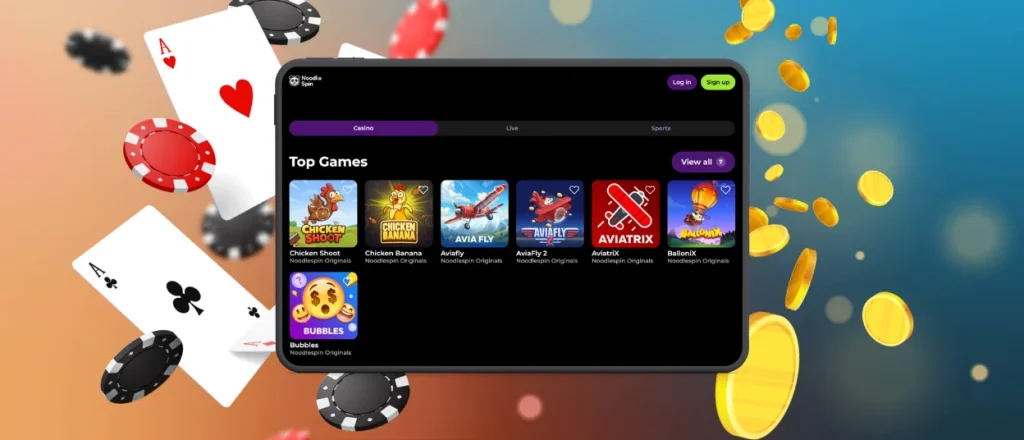
Install on Android
Android setup uses one PWA installation process with two entry points. The system offers the “Casino App” banner on the Noodlespin official site, and members can start the same setup manually through the Chrome menu.
- Open the Noodlespin website in Chrome.
- Use the “Casino App” banner or open the three-dot browser menu.
- Select “Add to Home Screen.”
- Confirm the shortcut name.
- Place the branded casino icon on the home screen.
The official setup keeps Android access browser-based. Members use the Noodlespin website for installation guidance instead of downloading a separate Noodlespin APK from third-party sources or app stores. The Noodle Spin app format keeps installation simple because the shortcut stays connected to the official platform.
Noodlespin App – iOS
The Noodlespin app gives iPhone and iPad users direct access to the mobile casino through Safari. Members open the website in Apple’s browser and use a layout adapted to iOS screens.
For faster access, members set up the iOS app format as a home screen shortcut. Open the Noodlespin website in Safari, tap the “Share” button and choose “Add to Home Screen.” After confirmation, the casino icon appears on the device display and opens the platform in one tap.
The Noodle Spin app setup keeps access browser-based, so updates load through the official website. Safari handles the shortcut from the home screen and keeps the mobile layout ready for repeat sessions.
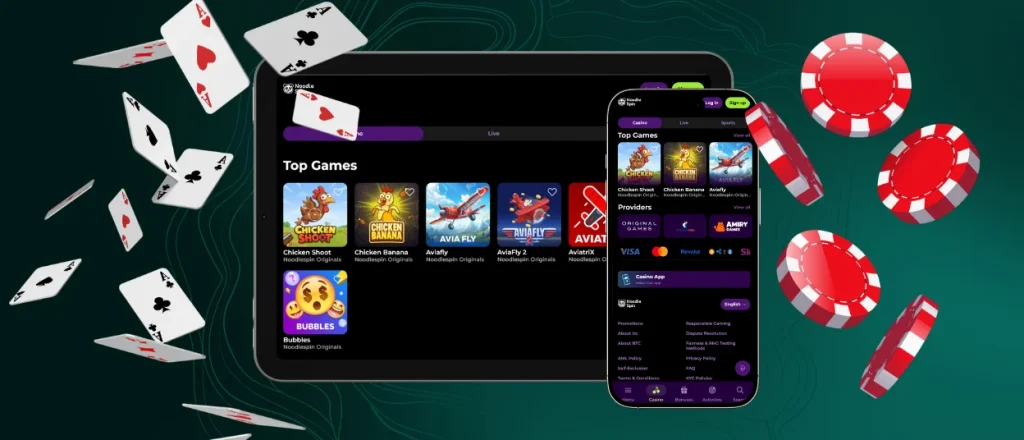
Noodle Spin Casino – Desktop Version
The desktop version suits members who prefer a wider screen for longer casino sessions. Noodlespin Casino works through modern browsers on Windows and macOS, so players open the platform from a computer or laptop without changing the main account structure. A larger display gives more room for the game lobby, live tables, filters and payment section pages.
Members keep desktop access close by saving the casino page or using the Noodlespin download app option for PC. The shortcut keeps desktop entry direct without adding extra browser steps. Open the “Casino App” banner on the Noodlespin website and follow the setup steps, or create a shortcut through the installation button in the browser address bar.
After setup, the desktop shortcut opens the platform in a dedicated window. This format keeps the lobby separate from regular browser tabs and gives members a cleaner workspace for longer sessions. The Noodlespin app keeps desktop access consistent with mobile entry, while the larger screen remains useful for extended browsing.

FAQ
Are all Noodlespin Casino games available in the PWA version?
The PWA version keeps the main casino lobby available from mobile devices. Game pages use the same platform structure, with navigation adapted for touchscreen use. Members access game categories through the same mobile layout used by the Noodlespin app.
Does the Noodlespin Casino app offer customer support?
Members open the help section to contact the support team and receive assistance with account access, payments, verification or general platform questions. The mobile version keeps support tools close to the same account area used on desktop.
Does the app consume significant mobile data?
The Noodlespin app uses a lightweight PWA format with an app size of around 1 MB. This keeps the setup small compared with traditional mobile applications. Data use depends on session length, but the app structure keeps repeat access efficient through cached resources.
How does the app update?
The Noodlespin app updates through its PWA structure. Members open the platform from the home screen shortcut, and the browser loads the current version from the official website. This removes manual update steps and keeps the mobile setup connected to the latest platform files.


